
Claiborne Arrests in 24 Hours
The official starting point is the ISOMS Current Inmates Last 24 Hours view. Its heading names a 24-hour window. The query runs off recent jail intake. It is not a list of every street arrest. Nor does it promise that everyone shown is still confined. The view carries the same basic fields as the current roster, and entries can even carry a same-day release date. That detail keeps "recent intake" and "current inmate" as separate ideas. Arrests come from several hands. The Claiborne County Sheriff's Office, Tazewell Police, New Tazewell Police, the Tennessee Highway Patrol, or another agency makes the arrest. Claiborne County Jail does the processing. The intake timestamp marks that jail step only. Transport, medical screening, identification, property processing, and data entry all come first, so the stamp can sit later than the arrest. The county posts no guaranteed delay and no last-updated time.
A very fresh arrest can lag out of the last-24-hours filter, and released people can sit inside it. Always confirm custody with the live roster or the jail.
Check Claiborne Arrests Today
Start with the official window. Widen the search only if the result demands it. Identifying details beat a name alone. The displayed city may reflect source data or residence, so it does not prove where the alleged conduct occurred. The arresting-department field is the better tool for locating the incident report.
- Open the official 24-hour view and use its current letter or page filters.
- Compare the name with age, intake date and time, city, and arresting department.
- Read the release date. If one appears, do not describe the person as still in custody.
- Review the charge and bond as booking fields only, not as the final court result.
- If the booking is too new or missing, open the current roster and Search Inmates page.
- For urgent confirmation, call the jail at 423-626-6262. For a copy, ask the sheriff’s records custodian.
Wider county record and photo channels sit on the Claiborne County recent arrests hub. It covers custodians, courts, and photo limits. The same-day page stays a same-day page.
Fields in Today’s Arrest View
Interfaces change, and any single field can come up blank. The ordinary roster table lists name, age, class or status, race and sex, intake time, city, arresting department, arresting officer, release date, charge, and bond. No booking number appears there. No general court-date field appears either. Request those details instead of guessing.
| Field | What it tells you | What it does not prove |
|---|---|---|
| Name and age | Basic matching details | Identity from name alone |
| Intake date/time | When jail processing was recorded | Exact arrest time |
| Class/status | Pretrial, TDOC, or other-agency classification | Conviction or final sentence |
| City | A location field supplied at intake | Place of the alleged offense |
| Arresting department | The agency entered for the booking | That every booking is a sheriff arrest |
| Release date | A recorded release when populated | Current status if the record is stale |
| Charge and bond | Charge and bond shown at intake | Disposition or guaranteed release |
| Image slot | A photo when the portal supplies one | That every person has a public photo |
The official same-day source shows the window and fields.
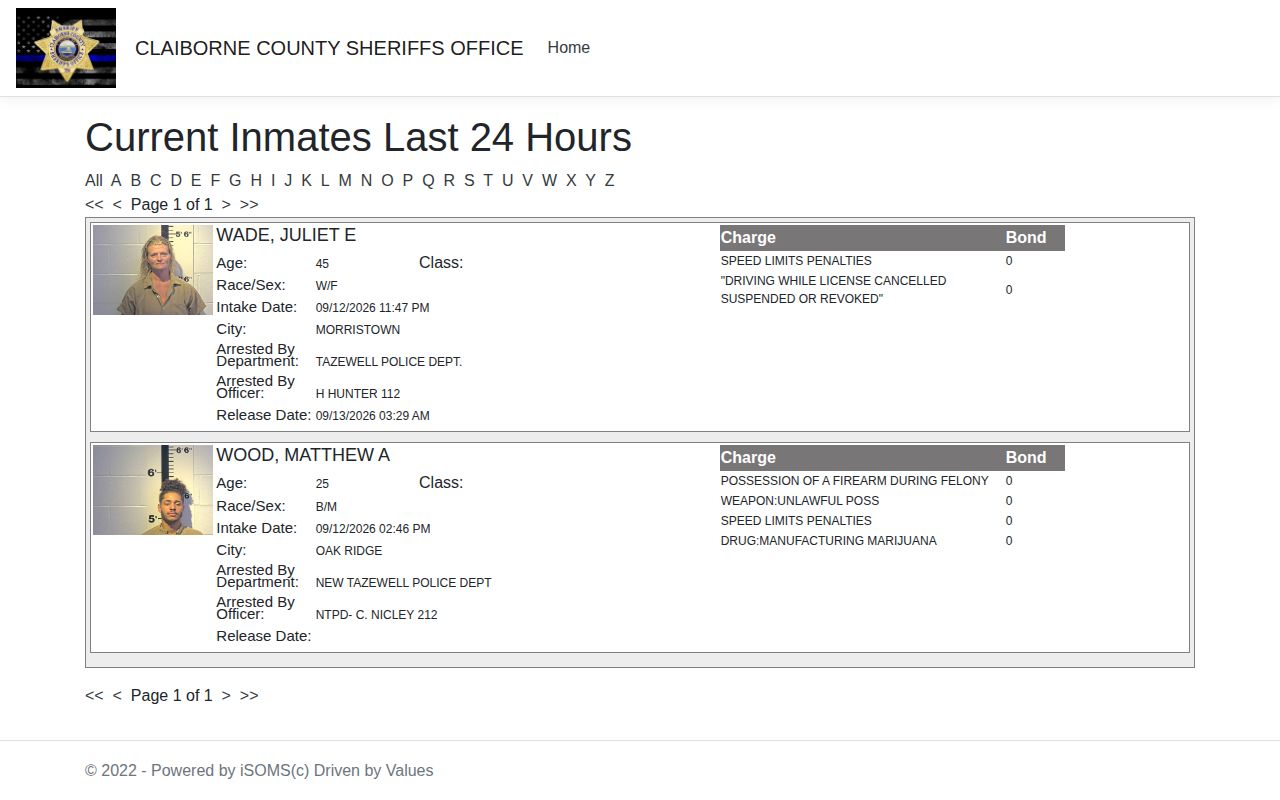
That image is only an interface reference. Check the live source for current custody information rather than a saved picture.
Why a Fresh Arrest Can Lag
Timing shows in the portal's intake stamp. An arrest begins with the law-enforcement event itself. ISOMS begins at jail processing. In between, an officer transports the person, staff complete intake steps, and the record waits for entry. Neither the county page nor the portal promises publication within a fixed number of minutes. Some unofficial directories warn that fresh bookings take several hours. That is a fair caution, not a Claiborne service promise. Say a family member knows of a very recent arrest and finds nothing. Check spelling and filters first. Then open Current Inmates. Then call the jail directly. The legacy sheriff site lists a 24-hour dispatch number, 423-626-1911. The current sheriff office number is 423-626-3385. Emergencies go to 911. When the question is a copy of an existing intake record rather than current custody, a records request fits instead. Note: With no stated refresh schedule, treat the page as a live query checked at access time, never real-time surveillance.
Photos on Claiborne Arrest Entries
No official policy promises a booking photo here. The interface exposes an image slot. The official system also carries a nophoto.png placeholder, so a blank slot means no public image was shown. It does not prove no photograph was taken. And it never justifies pasting in a face from an unofficial publisher.
For a photo, ask the sheriff's records custodian. Request the existing booking record and booking photo with the person's full name, approximate date of birth, intake date, arresting agency, and any case or booking number. Request electronic delivery. Ask for an advance fee estimate and the expected completion date. Ask the legal basis for any withholding. Tennessee agencies need not create a record that does not exist.
Claiborne Search Screen Fallback
When a person slips past the short window, the official Search Inmates source helps. It adds name and released-status fields to the lookup.
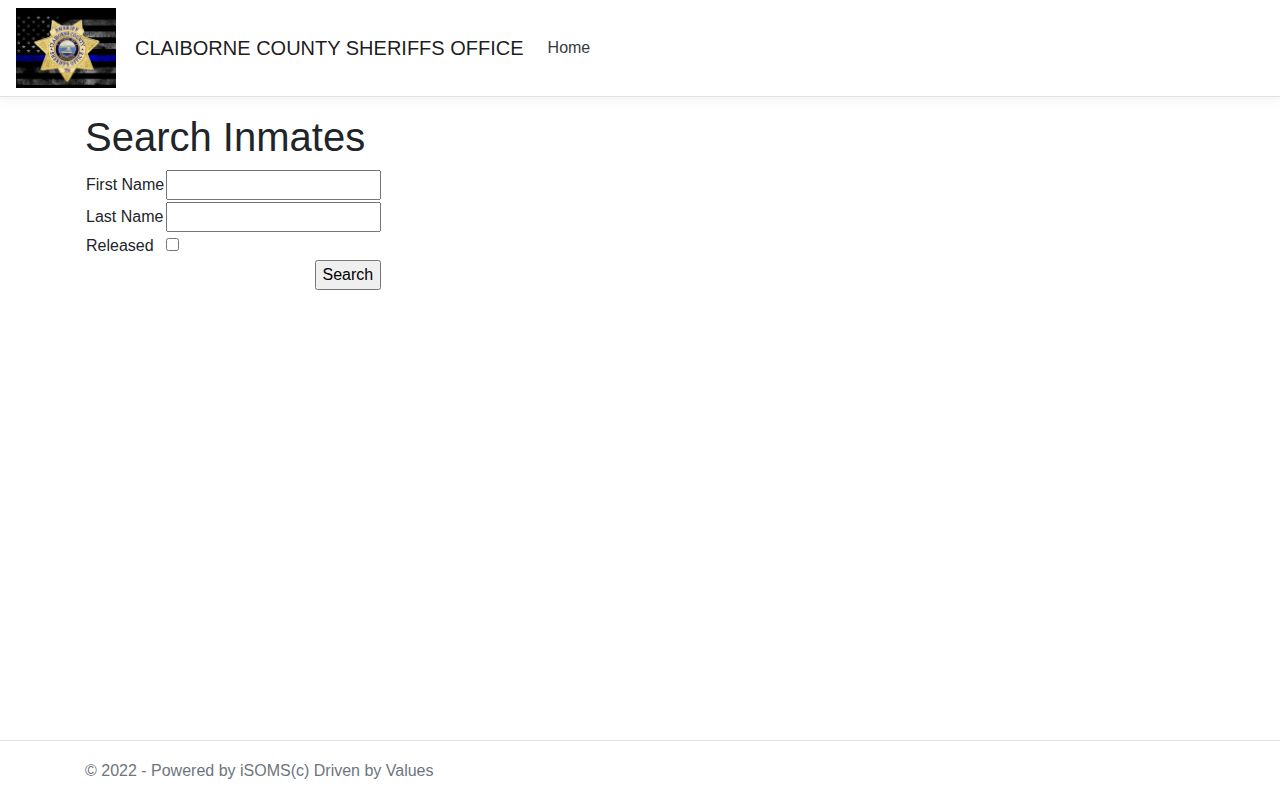
The search screen widens lookups without building a permanent archive.
Same-Day Arrest Fallback Chain
A short official window leaves questions open. Someone held past the 24-hour mark drops out of the same-day view. Current Inmates serves better for that person. Quick releases roll out of the public roster too. The jail still holds the booking record. City police may keep the incident report even when the sheriff keeps the booking entry. And the later court paperwork sits with the clerk, not ISOMS.
- Use Current Inmates for present county custody.
- Use Search Inmates when the person is not in the short window.
- Use the Police Blotter for the official three-day intake window.
- Call the jail for time-sensitive confirmation.
- Request the existing record from the responsible custodian.
- Use the Circuit and Sessions clerk for hearings, warrants, pleas, and disposition.
A VINELink Custody Check can track one person and send notices. Still, confirm any VINE no-result elsewhere. VINE carries no booking photos, police reports, or final court records.
No Complete Sheriff App
The Claiborne sheriff's office lists no mobile app that publishes a second booking stream. Its legacy domain points to Facebook for updates. Social posts do not cover every arrest, keep old entries, or follow a set photo policy. ISOMS stays the official booking channel. The question is whether the jail currently displays a person. The roster beats any post. That fact prevents a common search mistake. Nobody needs to wait on a post or install an unknown app. The browser view works directly. If it fails, the sheriff and jail phone numbers remain. They are the responsible fallback for a Claiborne County arrest question.
Charges Need Court Follow-Through
The Charge | Bond area shows what the jail displayed at booking. Charges often change as a case moves, through amendments, reductions, dismissals, or new filings. General Sessions Criminal and Juvenile handles warrants, citations, capias matters, pleas, and probation violations. Circuit Criminal takes indictments, jury matters, appeals, and later criminal proceedings. For a local case record, call the Claiborne Circuit and Sessions clerk at 423-626-3334. Tennessee Public Case History covers appellate work, not a full county trial docket. Only the court file tells how the case ended.
Public Record Search
Sponsored Results